Homelab answers for first-timers
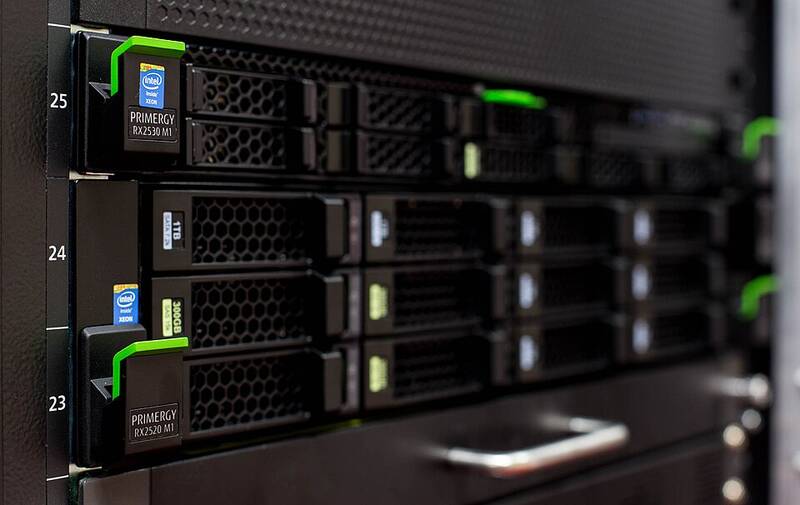
This site covers first home server questions in plain words: which RAID level to pick, what NAS hardware you need, what 24/7 power costs, and how to back up. Start with one of the two free tools below.
Updated 2026-09-23 · Sources below
Start with a tool
Say you just bought two big drives and want to know what fits on them. Our RAID capacity calculator takes any mix of drive sizes and shows usable space for each level, side by side.
Worried about the power bill? The power cost estimator turns watts and your $/kWh rate into cost per month and year, plus a 3-year compare of two setups.
New here? Read in this order
First, skim RAID levels explained so the calculator results make sense. Next, read first NAS hardware before you buy anything. Then set up 3-2-1 backup, because RAID alone is not backup.
For most people, that order saves both money and regret. A home server is a PC that never sleeps so your files and films are always there. Think of it as a cat that actually earns its keep.
What this site does not do
Most guides push a ranked list of boxes to buy. We do not do that here, on purpose. Rankings age fast and often serve the seller, not you. Instead we teach the math and trade-offs, so any box you pick is an informed one.
Any price or rate figure on this site shows its check date, and we re-check at least once a year. Where we quote community-measured watt ranges, we say so, and your own meter is always the final word.
All guides in this section
- RAID levels in plain words
- Mixed-drive RAID calculator (tool)
- 24/7 power cost estimator (tool)
- First NAS hardware
- TrueNAS vs Unraid vs prebuilt
- DIY NAS vs prebuilt
- Used server vs mini PC on power
- TrueNAS RAM and ECC, plainly
- 3-2-1 backup for a home NAS
- Measure your NAS idle watts
Sources
- r/homelab: hardware for building your own NAS as a beginner
- r/HomeServer: new to home servers, what is needed
- Backblaze: NAS RAID levels explained
- Photo: Trique303, CC BY-SA 4.0, via Wikimedia Commons

Was this helpful?
Spot an error?