RAID capacity calculator
Type your drive sizes below and get usable space for every RAID level at once, mixed sizes included. New to the terms? Read RAID levels explained first.
Updated 2026-09-23 · Formulas below · Sources below
Built-in checks: running…
Use it in 3 steps
- List your drive sizes in TB. Use the maker numbers on the label (8, not 7.3). Type them comma separated, like 4, 4, 8. Mix brands freely; sizes matter, brands do not.
- Read every row at once. Each row is one RAID level’s usable space from the same drives. Levels that need more drives than you listed are your cue to consider another bay.
- Sanity-check the winner. Match the top rows against what each level survives. Most space is not most safety. Then cross-check with a vendor tool below before you buy.
Worked examples
| Drives | Sensible pick | Usable | Why |
|---|---|---|---|
| 2 × 8 TB | RAID 1 | 8 TB | Mirror; either drive can die |
| 3 × 8 TB | RAID 5 | 16 TB | One drive of parity, rest is yours |
| 4 × 8 TB | RAID 5 (or 6 for safety) | 24 TB (16 TB on 6) | RAID 6 costs 8 TB but survives two failures |
| 4 + 4 + 8 TB | SHR-like | 12 TB vs 8 TB plain RAID 5 | Mixed sizes waste less under SHR math |
Quick answers
Why does my OS show less than the calculator?
Makers count decimal TB; your OS counts TiB. The OS number runs about 9% lower. Normal, not lost data.
Can I mix drive brands?
Yes. Match size and type (CMR, NAS-rated), not logos. A mixed-brand array of equal CMR drives works fine.
How exact is the SHR-like row?
It is our model of Synology-style flexible math, not vendor code. Close enough for planning; confirm big buys in Synology’s own calculator below.
Why is RAID 10 missing for my 3 drives?
RAID 10 needs an even count of 4 or more. Add a fourth drive and the row appears.
Which level first for a beginner?
Two equal drives: RAID 1. Three or more: RAID 5, or RAID 6 with big drives. Full reasoning: RAID levels explained.
Go deeper
- RAID levels explained — what each row survives.
- Synology RAID calculator — official SHR numbers.
- Seagate RAID calculator — second opinion.
- WD RAID capacity calculator — third opinion.
- raid-calculator.com — plain independent tool.
How we work it out
RAID 0 adds all drives. RAID 1 gives the smallest drive. RAID 10 gives half the drives times the smallest (needs an even count of 4+). RAID 5 gives all-but-one times the smallest (3+ drives). RAID 6 gives all-but-two times the smallest (4+ drives).
SHR-like modes waste less on mixed sizes. SHR-1 like gives total minus the biggest drive. SHR-2 like gives total minus the two biggest. Say you have 4, 8 and 8 TB: SHR-1 like gives 12 TB, while plain RAID 5 gives only 8 TB.
Sizes use maker TB (decimal). Your OS may show about 9% less, since it counts in TiB. That gap is normal, not lost data. For most people the planning number here is close enough.
How we check our work
- Data: standard RAID math, cross-checked with the Synology, Seagate, and WD tools below.
- Math: rules in “How we work it out” above; code in raid-calculator.d50996db.js.
- Tests: 10 known-answer cases pass in the page itself.
- Fresh: last check 2026-09-23; we re-check each year.
- Limits: SHR-like rows are our model, not vendor code; sizes are maker TB.
Sources
- Synology RAID calculator (reference)
- Seagate RAID calculator (reference)
- WD RAID capacity calculator (reference)
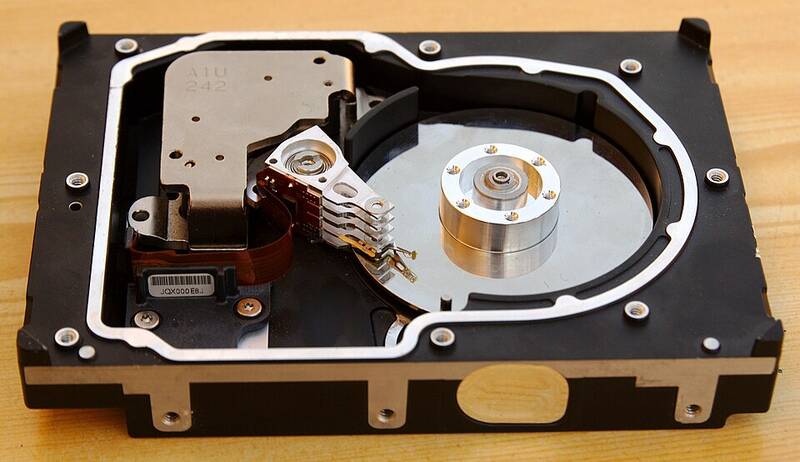
- Photo: Radoslaw Ziomber, CC BY-SA 3.0, via Wikimedia Commons

Was this helpful?
Spot an error?